

This guide will help you configure the Sucuri firewall alongside Cloudflare’s CDN.
There are two known issues you should be aware of before proceeding:
1) Sucuri Firewall’s (D)DoS Protection will work when Cloudflare’s CDN is active, however, we are unable to block (D)DoS attackers’ IP addresses using the Intrusion Detection System (IDS) because the IP addresses routed to us are from Cloudflare, which we can’t block on a network level. This network design limitation decreases the Sucuri Firewall’s (D)DoS Protection efficiency.
2) Occasionally, the SSL certificate included with the firewall cannot be issued automatically if the Cloudflare CDN is enabled. You must upload a custom SSL certificate or disable the Cloudflare CDN until the SSL is issued.
Note, due to our caching technology and global Anycast CDN, an additional CDN is not necessary to further improve performance for most sites.
Flow of Traffic
Visitor -> Cloudflare -> Sucuri -> Host Server
- Sucuri Firewall points to your hosting provider.
- Cloudflare points to the Sucuri Firewall.
Step by Step
1) Set Behind External CDN to Cloudflare in the Sucuri Firewall settings.
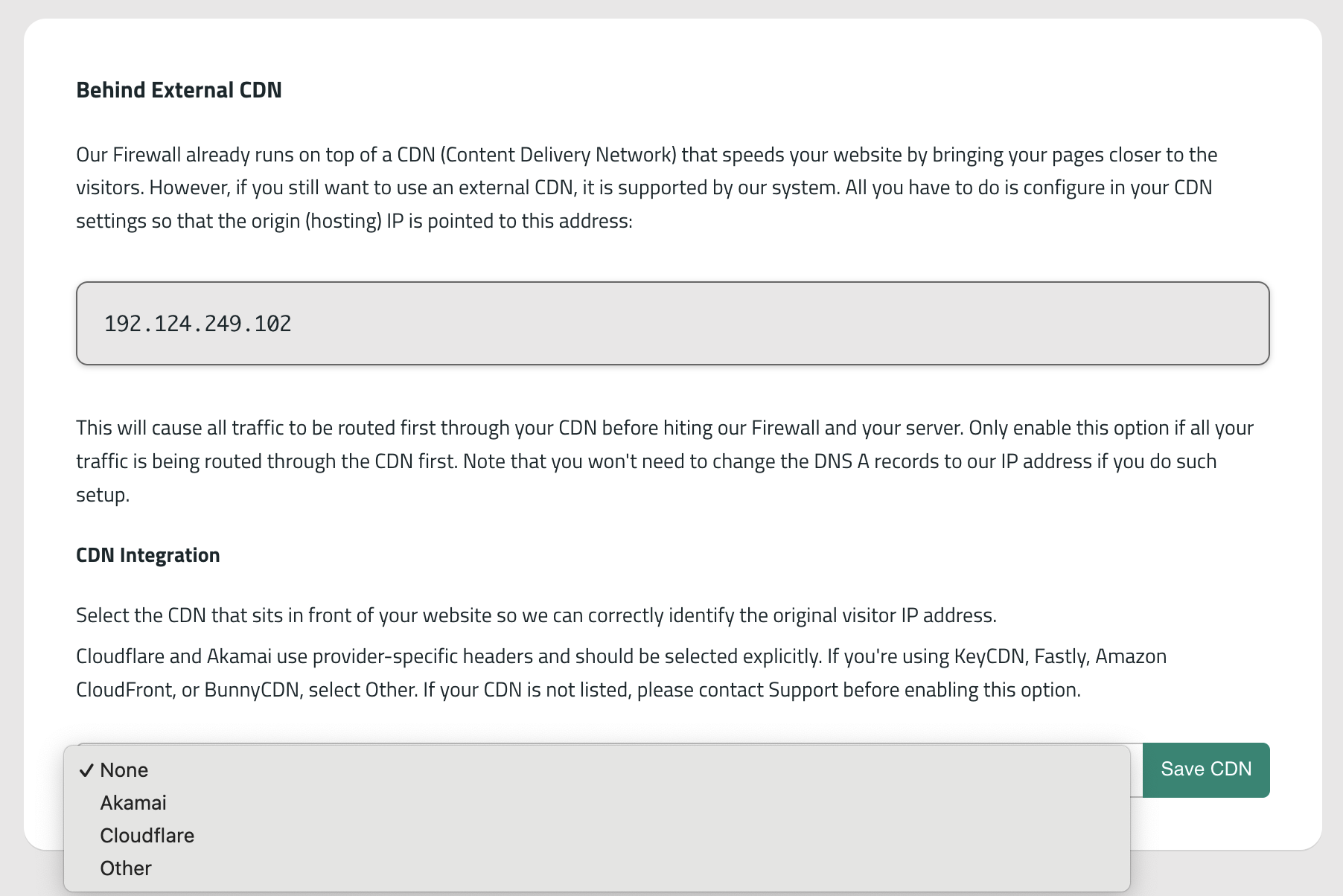
2) Make sure that the host IP in the firewall dashboard is correct. You can learn how to manually edit the host IP settings in the firewall dashboard in this article.
3) Inside Cloudflare’s DNS panel, change the A record for your domain from the host IP to the assigned Firewall IP address.
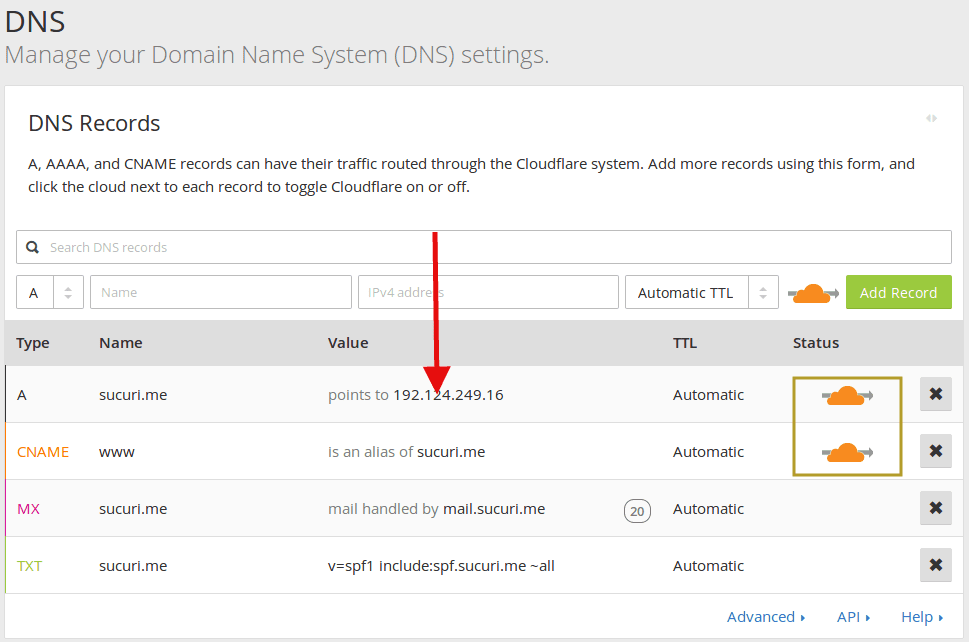
- If the Proxy Status is set to ‘Proxied’ it means that you have the Cloudflare CDN enabled. If the included firewall SSL certificate is not applying after the WAF is enabled, try disabling the CDN proxy until DNS propagation completes and the firewall’s SSL certificate is applied. You can then enable Cloudflare CDN again.
- If you want to use the Sucuri Firewall without the Cloudflare CDN enabled, but are using Cloudflare nameservers, simply set the Proxy Status to ‘DNS only’.
Please feel free to open a support ticket if you need assistance enabling the firewall and let us know if you’d like the Cloudflare CDN enabled or not.
For other CDN providers, the setup process and known issues are similar.